Step sequencer · iPhone and iPad
Press play. A beat is already there.
Eight drum voices, a synth in one key, twelve pads and four lanes of track, on one panel made like an instrument.

Free to play and share. To keep your work: US$1 a month after a free week, or US$10 once for life.
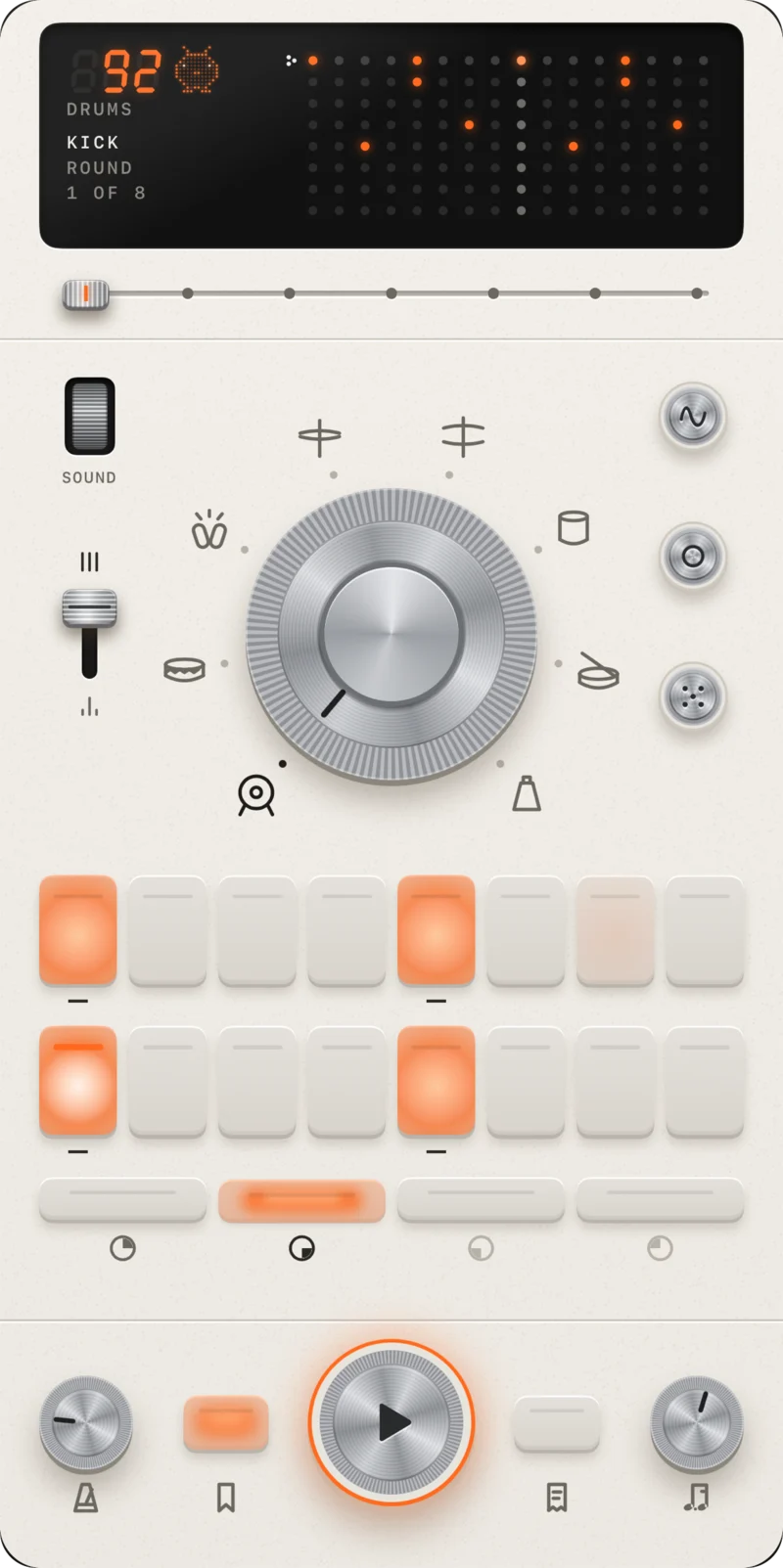
The spaces
One space for each thing you do, and one row of keys under them: TEMPO, KEEP, PLAY, PRINT and SWING. A notched lever under the window moves between spaces.
-
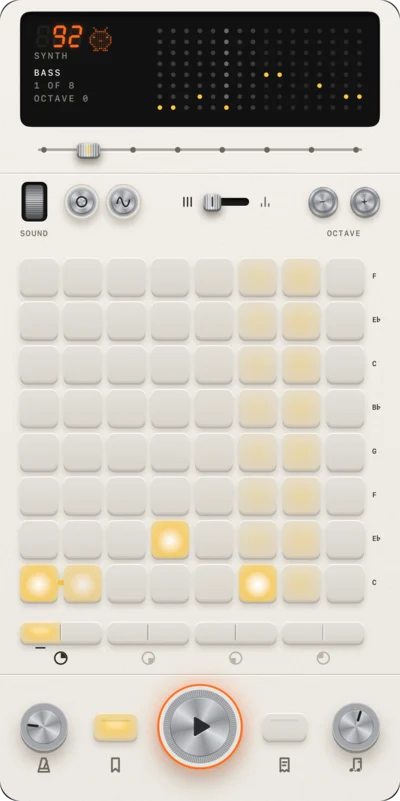
SYNTH · Every note in key
Six leads, a bass and a pad. Every row is a note in one key, engraved beside it, so every tune you draw sounds right.
-
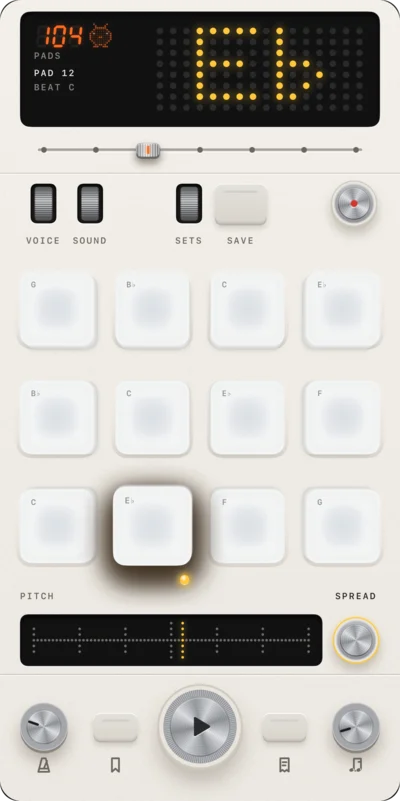
PADS · One sound in 12 notes
Twelve pads to play over the beat. Hold one and move up or down to tune it a semitone at a time. Touch REC, then a pad, to record up to ten seconds.
-
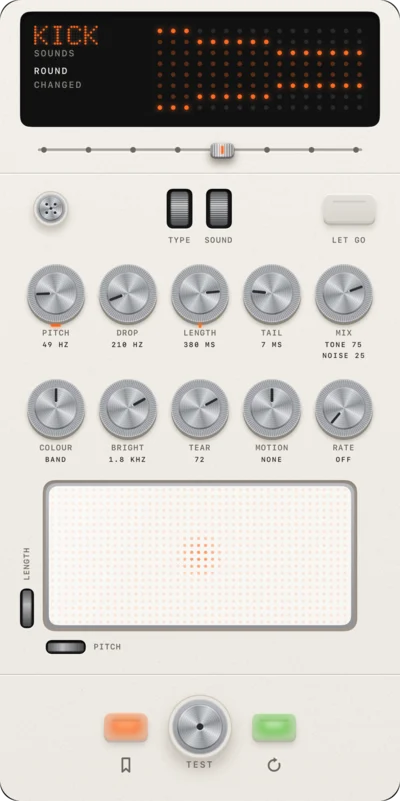
SOUNDS · 10 knobs to a sound
Choose a sound, then shape it with ten knobs, or drag across the pad beneath them to move two at once. KEEP files it among your own.
-
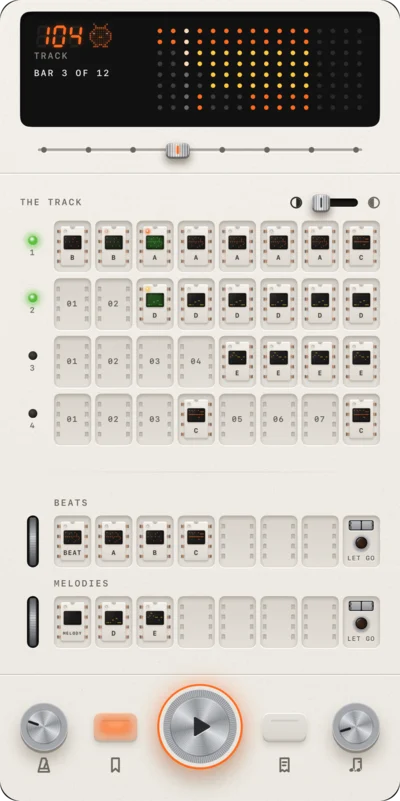
TRACK · Loops in 4 lanes
Keep up to 64 loops on two shelves. Carry them onto four lanes of up to sixteen bars. Touch a lane's lamp to mute it.
-
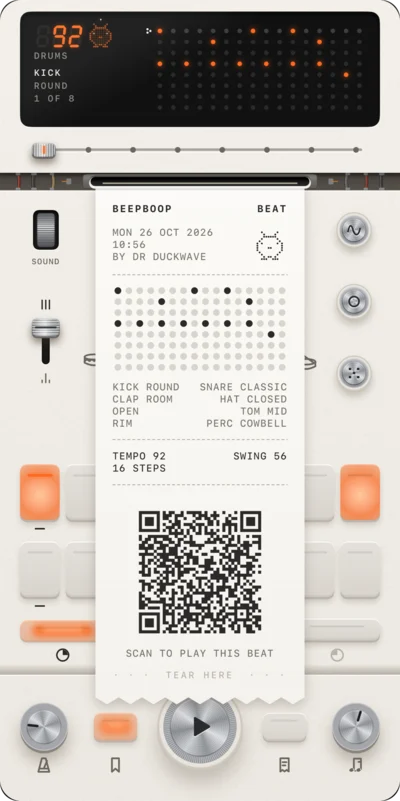
PRINT · The whole beat in one code
The space you are on prints as a receipt with a code on it. Anyone with Beep Boop can scan the code with the Camera and play what you made.
-
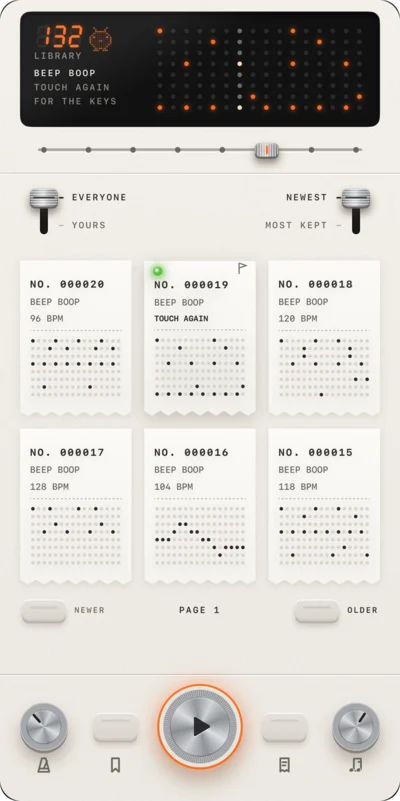
LIBRARY · Everyone's receipts
Everyone's beats, newest first or most kept. Touch a receipt to hear it at its own tempo, and again to put it on your keys.
On iPad
Turned on its side, the panel becomes a console: the window on the left, the voices and keys on the right.
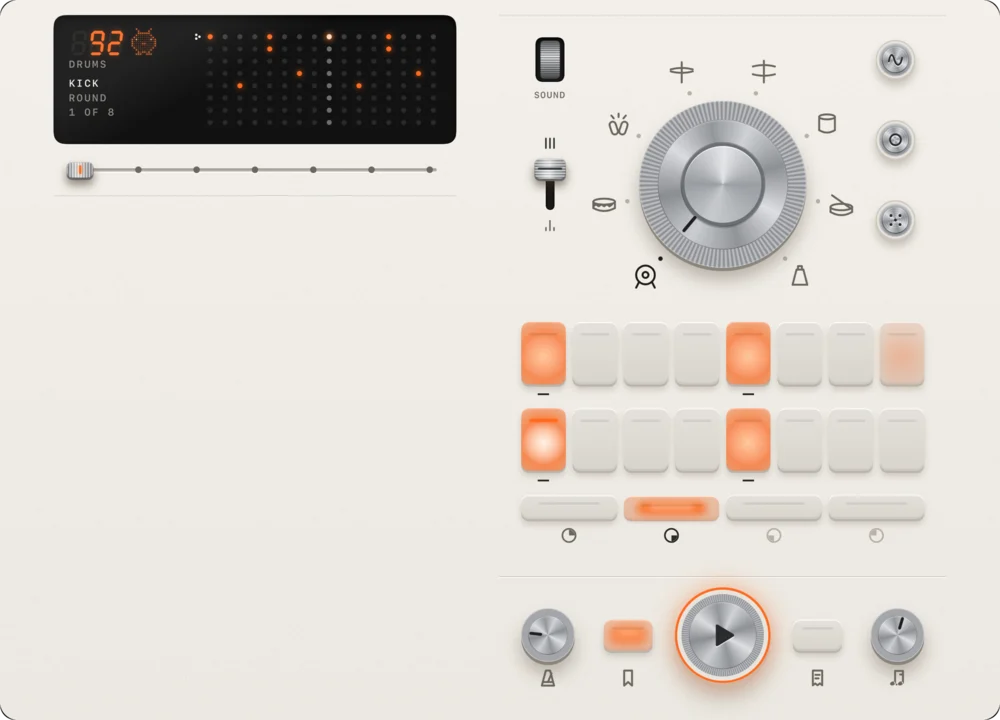
Made for the hand
- Time
- Every step lands on its exact sample, counted by the audio engine, never by a timer. How it keeps time
- Touch
- Every key answers the moment it is touched. On iPhone, each key, dial and switch has its own feel.
- Sound
- Kick, snare, clap, hat, open hat, tom, rim and percussion on one dial, and eight sounds for each. How a drum is built
- Share
- A receipt's code carries the whole beat. A printed beat opens on the keys of anyone who scans it. What is in the code
What stays yours
- No account
- Playing, recording and printing need no account.
- Recordings
- Your recordings never leave your iPhone or iPad.
- Library
- To share in the library you sign in with Apple once. Beep Boop asks Apple for no email and no name. Privacy
Price
- Free
- Playing, printing, scanning and browsing the library.
- Monthly
- US$1 a month, after a 7-day free trial. Cancel any time.
- For life
- US$10 once. It never renews.
- The plan opens
- Keeping loops, sounds and receipts, and building tracks.
Index
- JournalHow beats work, and how Beep Boop is built: the timing, the audio thread, the sounds, the code.
- PatternsDrum patterns on sixteen steps: four on the floor, the Amen break, reggaeton, boom bap, trap.
- TempoThe BPM of twelve genres, on one scale.
- Step sequencerWhat one is, and why sixteen steps.
- Media kitThe store sheets, the faces cut out, and the facts.
- ContactWrite to a person.
- SupportYour plan, cancelling, the library, your account.
- PrivacyWhat the app keeps, and where.
- TermsThe licence, the plan and the posting terms.